Shiny Hearts: Seamless Vector Patterns for Real-World Design Projects
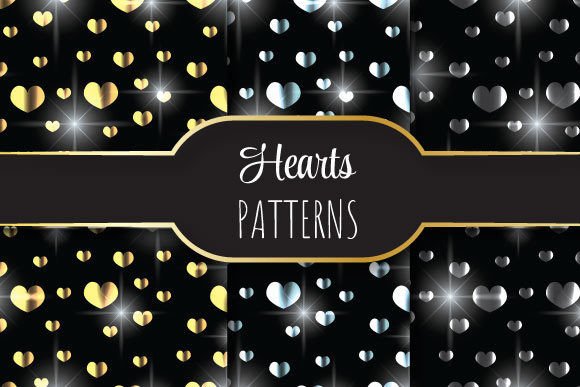
Shiny Hearts isn’t just a pretty name—it’s a ready-to-use, high-resolution vector pattern collection built for designers, crafters, marketers, and small business owners who need polished, repeatable visuals without the time sink of building from scratch. Each pattern is a seamless tile: no visible edges, no awkward breaks—just smooth, infinite repetition that scales flawlessly across any surface or medium.
What Exactly Is Shiny Hearts?
Shiny Hearts is a curated set of vector-based heart-themed patterns designed with precision and versatility in mind. Every file is delivered at 12 × 12 inches (3600 × 3600 pixels) and 300 dpi—ideal for both digital displays and professional print. The core format is EPS 10, fully editable in Adobe Illustrator and compatible with most vector-capable software. Inside the ZIP package, you’ll find one editable EPS file plus three high-res JPEGs (RGB, CMYK, and grayscale), giving you flexibility whether you’re prepping for web banners, packaging mockups, or printed stationery.
Where Shiny Hearts Fits Into Everyday Creative Work
Think of Shiny Hearts as the quiet helper behind dozens of real projects—not a standalone artwork, but the subtle texture that elevates your work. Here’s where it shows up most often—and why it matters:
- Wedding & Event Design: Invitations, menu cards, table runners, and digital RSVP pages all benefit from warmth and cohesion. A soft, shimmering heart pattern adds romance without overwhelming typography or photos. One designer used the grayscale JPEG to overlay lightly on a linen-textured background—resulting in elegant, tactile-looking invites that printed beautifully on an uncoated stock.
- Small-Business Branding: Boutique shops, handmade soap labels, or candle packaging often need affordable, ownable visual language. Instead of licensing generic stock patterns, creators drop Shiny Hearts into their brand assets—tinting the EPS to match their palette, then using it as a subtle background on product tags or social media story templates.
- Digital Marketing Assets: Email headers, Instagram highlight covers, and webinar slide backgrounds gain personality with minimal effort. Because the pattern repeats seamlessly, it fills any aspect ratio without distortion—even when stretched across a full-width email banner. Users report faster asset turnaround: “I dropped it in, adjusted the hue, and had five branded social templates done before lunch.”
- Craft & DIY Projects: From heat-transfer vinyl designs to sublimation-ready fabric prints, makers appreciate the clean vector paths and crisp 300 dpi resolution. One embroidery artist traced the EPS outline to create a heart-motif hoop art template; another scaled it to fit a 16” × 20” printable wall art sheet—no pixelation, no reworking.
Who Gets the Most Out of It—and Why
Shiny Hearts works differently depending on your workflow and goals:
- If you’re a solo designer juggling client work: You’ll value the time saved on custom pattern creation—especially when clients request “something sweet but not childish” or “romantic but modern.” The EPS lets you tweak spacing, rotation, or color in seconds, so you’re not locked into one look.
- If you run a creative small business: You likely don’t have a dedicated graphic designer on staff. Shiny Hearts gives you pro-level consistency across touchpoints—your Etsy banner, your Shopify product page background, and your thank-you card all feel like part of the same thoughtful world.
- If you’re new to vector editing: Don’t worry—the JPEG versions are plug-and-play for Canva, Photoshop, or even PowerPoint. You can use them as-is, or bring the EPS into Illustrator later as your skills grow. No steep learning curve required to get started.
Things to Keep in Mind Before You Use It
While Shiny Hearts is built for ease, a few practical considerations help you get the best results:
- Color mode matters: The included CMYK JPEG is optimized for offset printing, while the RGB version shines online. If you’re designing for both, open the EPS in Illustrator and save separate versions—don’t rely solely on JPEG color conversions, which can shift unexpectedly.
- Scale with intention: Even though it’s vector-based, extremely tight zooms (like microscopic textile repeats) may reveal minor anchor point complexity. For ultra-fine applications—think micro-printed gift wrap or laser-cut lace overlays—test at actual size first.
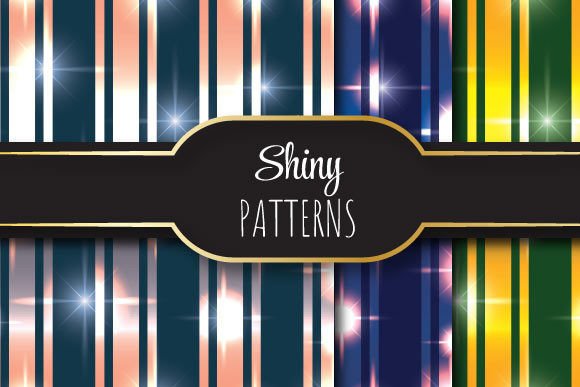
- Layer thoughtfully: Because the pattern has visual weight (thanks to its “shiny” highlights and layered heart forms), it pairs best with clean, uncluttered layouts. Try using it as a background layer at 15–30% opacity behind bold sans-serif type—it adds depth without competing.
- Licensing clarity: This is a single-user, royalty-free license. You can use it across unlimited personal and commercial projects—but you can’t resell the pattern files themselves or claim them as your original design. Perfect for freelancers delivering finished assets to clients.
Strengths That Make It Stand Out
What separates Shiny Hearts from other heart-themed patterns? Three things stand out in daily use:
- True seamlessness: Unlike some “seamless” patterns that show ghost lines or misaligned nodes at tile edges, Shiny Hearts was tested across multiple export settings and viewed at 400% zoom. The repeat holds—cleanly—every time.
- Print-ready fidelity: At 3600 × 3600 pixels and 300 dpi, it meets standard requirements for fine-art prints, brochures, and packaging. No upscaling needed, no interpolation blur.
- Design maturity: It avoids cutesy clichés. The hearts are stylized—not cartoonish—with gentle gradients and strategic negative space, making it appropriate for luxury skincare brands as easily as for a heartfelt nonprofit campaign.
When It Might Not Be the Right Fit
That said, Shiny Hearts isn’t universal. It’s less ideal if you need:
- A monoline or ultra-minimalist aesthetic (the design includes subtle highlights and dimensionality);
- Patterns with irregular spacing or organic randomness (this is geometrically precise and evenly distributed);
- Formats beyond EPS/JPEG (no SVG, PNG with transparency, or AI-native files are included);
- Multiple color variations out of the box (you’ll adjust hues yourself in vector software—or choose from the three provided JPEG tones).
In those cases, it’s still useful as a starting point—you can simplify paths or recolor in Illustrator—but it won’t replace a library built specifically for flat-line icons or hand-drawn textures.
Putting It Into Motion
The most common next step? Open the EPS in Illustrator, double-click the pattern swatch in your Swatches panel, and start adjusting. Change the base pink to deep navy for a moody wedding palette. Rotate the tile 15 degrees for subtle movement. Duplicate and offset a second layer at low opacity for added luminosity. Or—if you’re in a hurry—drag the RGB JPEG straight into your Canva project and set it as a background. It’s flexible because it’s built for doing, not just displaying.
Whether you're refreshing a Shopify theme, prepping a batch of holiday cards, or designing merch for a local fundraiser, Shiny Hearts delivers consistent, scalable, emotionally resonant texture—without the guesswork.