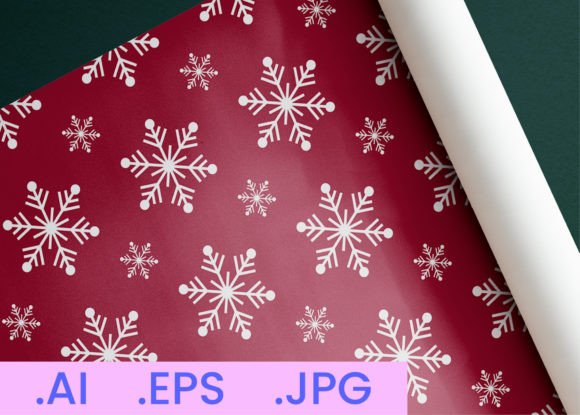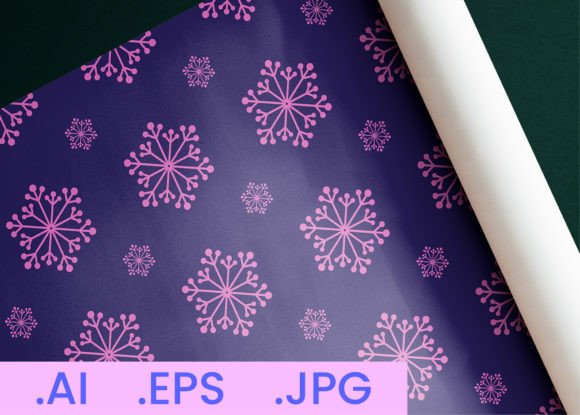
Winter Snowflake DigitalPaper Pattern 19: A Versatile, Print-Ready Design for Creative Professionals
Hi there—I’m AJ. As a professional graphic designer with years of experience crafting logos, patterns, and print-ready assets, I’ve seen firsthand how the right digital paper pattern can transform a product from ordinary to unforgettable. That’s why I created Winter Snowflake DigitalPaper Pattern 19: a clean, elegant, and highly adaptable snowflake motif designed specifically for real-world creative applications—not just decorative flair, but functional design support.
If you're developing products for print-on-demand platforms, designing seasonal packaging, or producing party stationery and wall décor, you know the challenge isn’t just finding *a* winter pattern—it’s finding one that’s technically sound, commercially flexible, and aesthetically cohesive across formats. Many designers waste hours resizing, reformatting, or troubleshooting low-resolution files—only to discover their pattern doesn’t tile seamlessly, lacks transparency options, or fails at print resolution. That’s where Winter Snowflake DigitalPaper Pattern 19 delivers immediate, practical value.
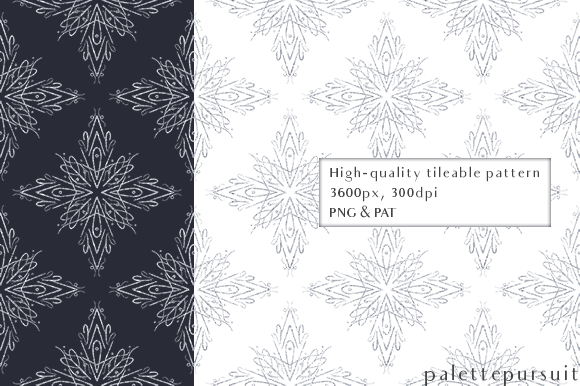
This isn’t a generic clipart snowflake. It’s a meticulously constructed, seamless repeating pattern built for scalability and consistency. Every element is balanced for visual harmony—delicate enough for subtle backgrounds, bold enough to hold up on large-format prints like wall sheets or gift wrap. The design embraces classic winter elegance without leaning into cliché: think crisp negative space, organic yet precise linework, and rhythmic repetition that feels intentional—not mechanical.
What’s Inside the Winter Snowflake DigitalPaper Pattern 19 Package?
The package is intentionally lean and production-ready—no bloat, no filler. You receive exactly what you need to move from concept to output:
- High-resolution JPGs (800 × 800 pixels) — Optimized for quick previews, mockups, and web use. Each file is exported using the “Use Artboard” option in Adobe Illustrator, ensuring clean edges and consistent framing.
- Editable AI file (.ai) — Fully layered and vector-based, so you can recolor, resize, or adjust individual snowflakes without quality loss. Ideal for customizing color palettes to match your brand or seasonal campaign.
- EPS file — Universally compatible with most design software and print workflows, especially useful for vendors who require legacy vector formats.
- All files at 300 DPI — Professionally calibrated for sharp, crisp printing—whether you’re ordering business cards, wrapping paper rolls, or large-scale wall decals.
Crucially, every file maintains perfect tiling behavior. No awkward seams, no visible repeats—just smooth, scalable coverage ready for any surface.
Where This Pattern Makes Real Impact
Winter Snowflake DigitalPaper Pattern 19 shines where versatility meets intentionality. Here’s how different creators apply it—and why it works:
Print-on-Demand Sellers: Whether you’re launching mugs, notebooks, or phone cases on platforms like Redbubble, Teespring, or Printful, this pattern gives you a polished, seasonal edge. Use it as a full-bleed background on greeting cards, or scale it down for minimalist tote bag accents. Because it’s 300 DPI and vector-based, it adapts flawlessly—no pixelation on oversized posters or fine detail loss on small enamel pins.
Packaging Designers: Imagine luxury hot cocoa tins, artisanal cookie boxes, or holiday candle labels. This pattern adds instant seasonal sophistication without overwhelming product photography. Its light density and open composition leave ample room for typography and branding—unlike busier patterns that compete for attention.
Event Planners & Stationers: From wedding invitations to baby shower banners, Winter Snowflake DigitalPaper Pattern 19 offers subtle thematic resonance. Export the PNG with transparency to overlay on photos or blend with foil-stamped text. Pair it with warm metallics or cool matte finishes—it’s equally effective in both.
Educators & Crafters: Teachers creating winter-themed classroom décor or crafters designing DIY scrapbook kits appreciate its clarity and ease of cutting. The vector format allows effortless scaling for stencils, Cricut projects, or printable coloring pages—no jagged edges, no guesswork.
Smart Implementation Tips
To get the most out of Winter Snowflake DigitalPaper Pattern 19, keep these practical considerations in mind:
- Color flexibility matters: Open the AI file and use Global Swatches to shift the entire palette in seconds—try deep navy and silver for upscale events, or soft sage and ivory for rustic charm.
- Test tiling early: In Illustrator or Photoshop, create a new document, place the pattern, then use “Pattern Options” (Illustrator) or “Define Pattern” (Photoshop) to preview repeat behavior before final export.
- Respect bleed and safe zones: When prepping for physical print, extend the pattern beyond your trim line by at least 0.125 inches—especially important for wrapping paper or packaging.
- Layer strategically: For posters or wall sheets, consider adding a faint texture overlay (e.g., subtle linen or frost grain) on top of the pattern to enhance tactile feel—even in digital mockups.
Remember: great pattern design isn’t about complexity—it’s about reliability, adaptability, and quiet confidence in execution. Winter Snowflake DigitalPaper Pattern 19 was built with that principle at its core. It doesn’t shout; it supports. It doesn’t distract; it elevates.
Why This Is More Than Just Another Winter Asset
In a market flooded with seasonal graphics, what sets Winter Snowflake DigitalPaper Pattern 19 apart is its dual focus: technical precision and creative generosity. It respects your time (no tedious fixes), honors your audience (no visual fatigue), and empowers your process (no format limitations). Whether you're launching your first POD store or refining a decade-old stationery line, this pattern meets you where you are—with professionalism, clarity, and quiet craftsmanship.
Design shouldn’t be a bottleneck. It should be your advantage. And with Winter Snowflake DigitalPaper Pattern 19, it is.