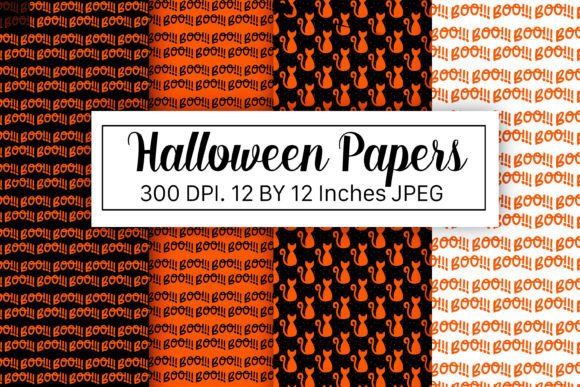
Halloween Party in the Graveyard
Imagine setting the tone for a campaign, product launch, or creative project with an atmosphere that’s equal parts eerie and unforgettable. Halloween Party in the Graveyard isn’t just a mood—it’s a thematic anchor. It evokes contrast: decay and celebration, silence and revelry, tradition and subversion. For professionals who rely on visual storytelling—whether designing marketing assets, curating social media content, building educational materials, or producing print-on-demand merchandise—this theme delivers immediate recognition, emotional resonance, and stylistic cohesion.
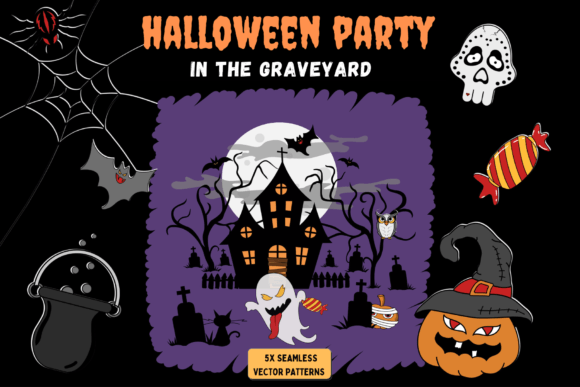
Unlike generic Halloween motifs, Halloween Party in the Graveyard offers narrative depth. Tombstones draped in cobwebs host dancing skeletons. Candles flicker inside hollowed pumpkins beside cracked mausoleums. Bats swirl above crooked iron gates while costumed figures—some whimsical, others unsettling—mingle among fog-draped headstones. That layered storytelling makes it especially useful when consistency matters: across brand guidelines, classroom handouts, event signage, or editorial illustrations.
How Seamless Vector Patterns Fit Into Real Workflows
The five seamless vector patterns built around this theme aren’t decorative afterthoughts—they’re production-ready infrastructure. Each pattern features fully editable, color-separated layers in AI and EPS, scalable SVG for web use, and high-resolution 300 dpi JPEGs (10417×10417 px) ideal for large-format printing. The 72 dpi preview JPEG lets you quickly assess fit before committing to full-size renders.
These aren’t clipart-style repeats. They’re carefully composed with intentional spacing, rhythm, and character density—designed so no tile edge breaks immersion. Whether you’re filling a background for a presentation slide, wrapping a Shopify product mockup, or generating repeatable fabric prints for merch, these patterns hold up at any scale without pixelation or awkward repetition.
Before the Project: Planning & Asset Alignment
Start by auditing your existing visual system. Does your brand palette allow for deep purples, bruised greens, and chalky bone whites? Do your typography choices support gothic elegance or playful macabre? If you’re using Halloween Party in the Graveyard as a seasonal pivot—for a limited-time offer, an October newsletter series, or a themed workshop—align the vector patterns early. Import the AI files into your brand library and assign consistent swatches. Name layers clearly: “Main Character Group,” “Background Fog,” “Tombstone Cluster.” This saves time later when swapping colors for accessibility or A/B testing.
For educators preparing lesson plans on folklore or Gothic literature, these patterns help reinforce thematic continuity. Print one as a classroom banner; embed another in student worksheets. Because each vector is fully editable, you can isolate individual elements—say, a single ghost or raven—to use as icons or annotation markers.
During Execution: Integration Across Tools and Outputs
Use the SVG versions directly in Figma, Adobe XD, or Webflow for responsive backgrounds. Their vector nature ensures crisp rendering on retina displays and compatibility with CSS transforms. In Illustrator or Affinity Designer, leverage the color-separated layers to adjust hue, saturation, or luminance per element group—no need to re-color manually. Want a warmer, candlelit feel? Shift the orange tones in the “Flame” layer. Prefer something colder and more clinical? Desaturate the “Gravestone Texture” group and boost contrast in the “Fog Overlay.”
For print workflows, the 300 dpi JPEGs are sized to tile seamlessly across standard poster dimensions (24×36", 36×48") without resampling. Test tiling in your RIP software first—most modern workflows recognize the 10417×10417 px dimension as a safe base for bleed and trim margins. If you're producing physical goods—like enamel pins, tote bags, or greeting cards—the EPS files retain vector fidelity even when output to laser engravers or embroidery digitizing tools.
After Delivery: Reuse, Refinement, and Long-Term Value
Don’t archive these patterns after one campaign. Store them in a shared cloud folder with clear naming: “Halloween_Party_Graveyard_Pattern_03_Creepy_Crowd.ai”. Tag them in your DAM system with keywords like “seamless,” “vector,” “Halloween,” “character-based,” and “print-ready.” Over time, you’ll build a reliable seasonal toolkit—reducing reliance on stock libraries and eliminating licensing friction.
Freelancers and agencies benefit most from this longevity. One client may want subtle graveyard texture behind a luxury skincare promo; another needs bold, freaky characters for a metal band’s merch line. With five distinct patterns—each varying in density, focal point, and tone—you cover spectrum without redesigning from scratch. Notice how Pattern 01 leans into silhouette-based minimalism, while Pattern 04 layers detailed, expressive characters with exaggerated proportions. That variation gives you flexibility within a unified aesthetic.
Practical Implementation Tips You Can Apply Today
- Match resolution to output: Use SVG for web and digital presentations; reserve 300 dpi JPEGs for print jobs over 12×18". Avoid scaling the 72 dpi preview beyond screen use—it’s meant only for quick layout checks.
- Test color separation early: Open the AI file and toggle visibility of named layers. If your workflow requires CMYK output, convert swatches *before* exporting EPS—not after. Some RIPs misinterpret RGB-to-CMYK conversions embedded in vector files.
- Organize for collaboration: When sharing with developers or printers, include a README.txt listing which layers correspond to foreground, midground, and background elements. This prevents accidental deletion of critical components during cleanup.
- Leverage character isolation: Use the Direct Selection Tool (A) in Illustrator to copy individual characters—bats, witches, jack-o’-lanterns—into new compositions. Scale them independently without distorting the pattern’s repeat logic.
- Preserve editability in exports: When saving final deliverables, keep source AI/EPS files untouched. Export flattened JPEGs or PDFs separately. That way, next year’s revision starts from the same clean base—not a flattened image needing recreation.
Compatibility and Workflow Considerations
These patterns integrate cleanly with industry-standard tools: Adobe Creative Cloud (CC 2021+), Affinity Suite, CorelDRAW (v2022+), and browser-based editors like Vectr or Penpot (via SVG import). They’re not optimized for older versions of software that lack robust SVG rendering—so verify your team’s toolset before deployment.
If you work with non-design stakeholders—marketing managers, school administrators, or small business owners—share the 72 dpi JPEG previews first. They load instantly, require no special software, and give immediate visual feedback. Only escalate to editable vectors once alignment is confirmed. This reduces back-and-forth and keeps approvals moving.
Quality control is built in: every pattern has been tested for true seamlessness at 200%, 50%, and actual size. No hidden artifacts, stray anchor points, or ungrouped clipping masks. That reliability means less time troubleshooting and more time executing.
Ultimately, Halloween Party in the Graveyard works because it’s both atmospheric and actionable. It doesn’t ask you to choose between creativity and efficiency—it supports both. Whether you’re launching a podcast season, updating curriculum materials, or building a boutique product line, these five seamless vector patterns provide the foundation, flexibility, and polish needed to move from concept to delivery—without compromise.